The NucBox K13 has emerged as a compact yet powerful workstation, blending cutting-edge hardware with enhanced software capabilities to serve developers, creators, and AI enthusiasts. Its latest update introduces dual OS support—Windows 11 Pro and Ubuntu—and pre-installed OpenClaw, catering to those who demand flexibility in their computing environments while streamlining access to advanced AI tools.
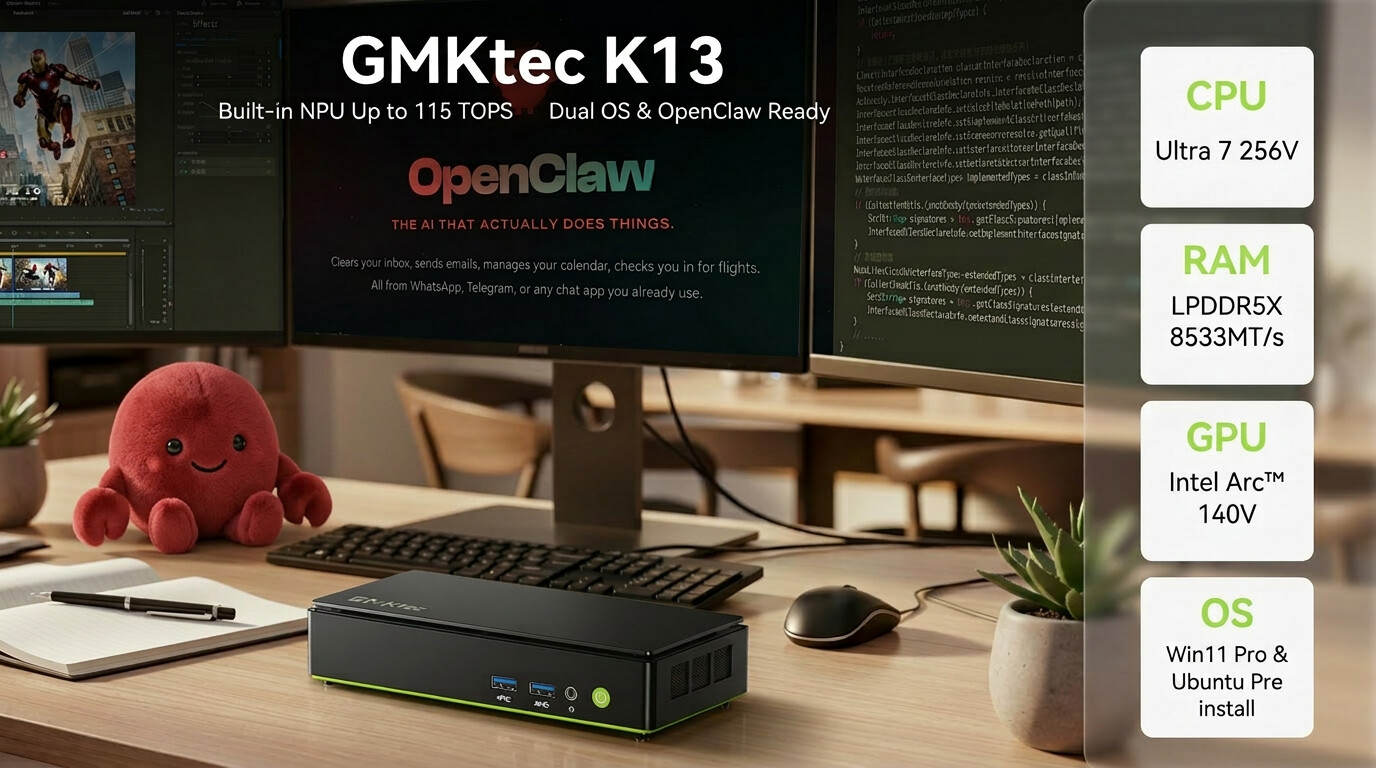
This evolution addresses a growing need for seamless local AI deployment without sacrificing performance or usability. The K13’s hardware, centered around the Intel Core Ultra 7 256V processor and Intel Arc 140V GPU, delivers up to 115 TOPS of AI performance, making it suitable for everything from content creation to enterprise workflows.
Key Specifications
- Processor: Intel Core Ultra 7 256V (8 cores / 8 threads, up to 4.80 GHz)
- GPU: Intel Arc 140V, offering graphics performance comparable to entry-level discrete GPUs
- AI Performance: Up to 115 TOPS, optimized for local AI workloads
- Memory: 16 GB LPDDR5X, designed for fast multitasking and smooth operation under heavy loads
- Storage: Dual M.2 SSD slots, supporting up to 16 TB of storage—ideal for large datasets or multi-OS setups
- Connectivity: Wi-Fi 6E and 5 Gbps LAN for high-speed data transfer and stable network performance
- Display Output: Triple 4K display support, perfect for productivity and creative workflows requiring multi-monitor setups
The combination of dual OS support and OpenClaw integration simplifies the setup process for AI development, allowing users to switch between Windows and Ubuntu without compromising on performance. This is particularly beneficial for developers who work across different ecosystems or those experimenting with local AI models, where setup time can be a significant bottleneck.
However, the 16 GB LPDDR5X memory, while robust for most workflows, may pose limitations for users handling extremely large datasets or running multiple high-demand applications simultaneously. Those working with AI at scale might find themselves constrained, though the system’s expandability options—such as dual M.2 SSD slots and support for up to 16 TB of storage—mitigate some of these concerns.
The NucBox K13’s compact design doesn’t come at the expense of performance, making it an attractive option for users who prioritize space efficiency without sacrificing power. Its triple 4K display output further enhances its appeal to content creators and professionals in fields like video editing or data visualization, where high-resolution outputs are essential.
Market Positioning and Future Outlook
The K13’s focus on AI and dual OS support reflects broader industry trends toward flexibility and local processing capabilities. As AI becomes more integrated into everyday workflows, systems that can handle both development and deployment seamlessly will likely gain traction. The inclusion of OpenClaw—whether pre-installed or via one-click setup—positions the K13 as a practical choice for those looking to deploy AI models locally without the overhead of complex setups.
Looking ahead, the NucBox K13 could serve as a benchmark for what’s possible in compact workstations, particularly as demand for local AI processing grows. Its balance of hardware performance and software flexibility makes it a strong contender in the market for power users who need more than just a traditional mini PC.
For now, the K13 stands out as a versatile platform that bridges the gap between productivity and innovation, catering to those who require both stability and cutting-edge capabilities in one package. Whether for AI experimentation, content creation, or enterprise workflows, it offers a compelling blend of performance and adaptability.