Windows 11 is taking steps to correct two of its most criticized design elements—how the Start menu handles tiles and how the system tray behaves when apps are minimized.
The changes, which focus on performance per watt and thermal management, could significantly impact PC builders who prioritize efficiency and heat dissipation in their builds. These updates aim to streamline workflows while reducing energy consumption, a key concern for both desktop and mobile users.
Key details of the update
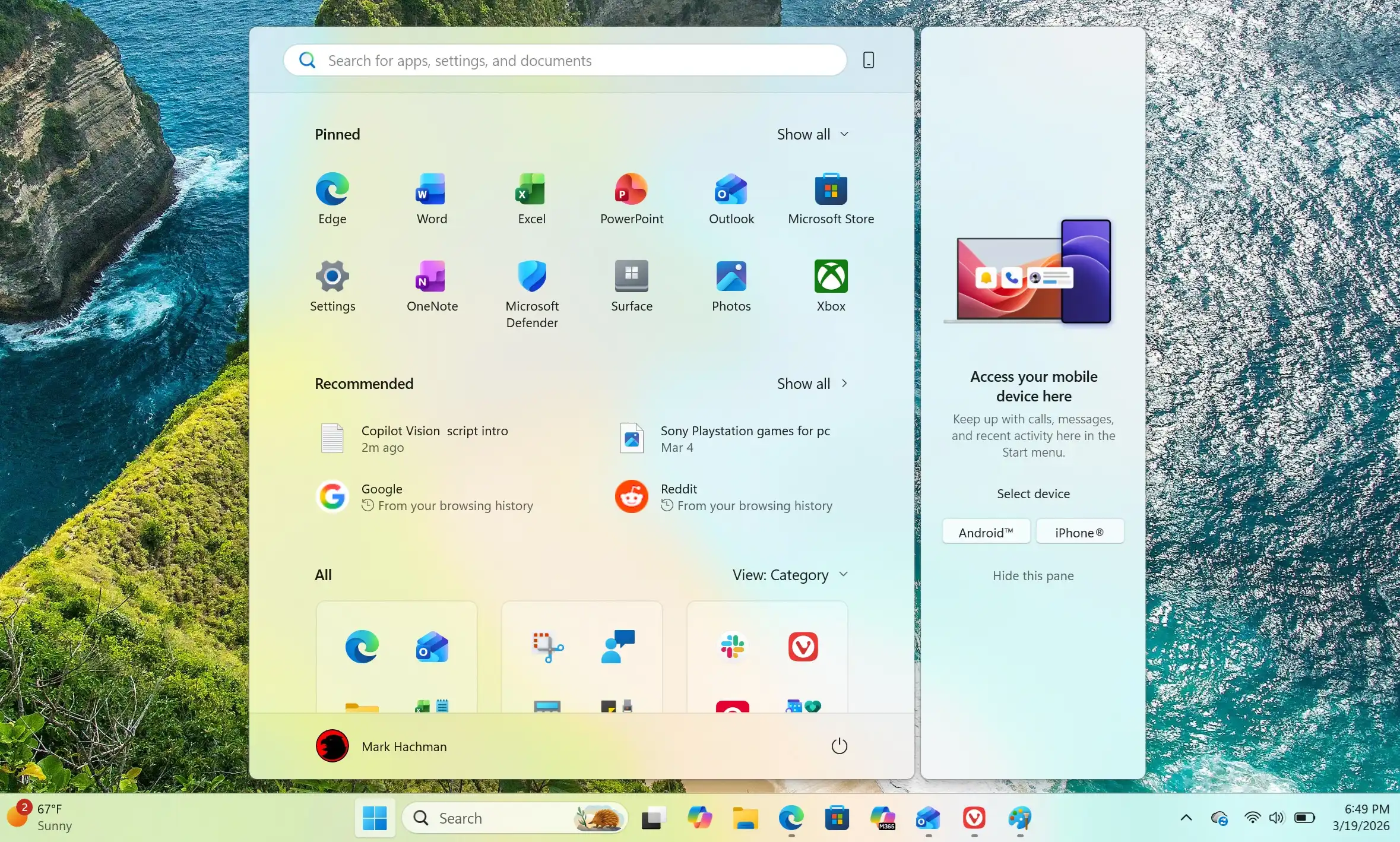
- Start menu tiles: Users can now rearrange tiles more intuitively without the previous constraints that forced them into rigid grids. This change allows for a more customizable experience, reducing clutter on the screen.
- System tray behavior: The system tray will no longer collapse apps into a single icon by default, addressing a long-standing frustration where multiple app indicators would merge, making it difficult to identify which applications were active or needed attention.
The updates also introduce improvements in how the operating system manages background processes and thermal throttling. Microsoft has emphasized that these changes are designed to work seamlessly with both high-performance and low-power hardware, giving PC builders more options when selecting components for their systems. This is particularly relevant for users who build PCs with a focus on efficiency, as the updates promise to reduce heat output while maintaining performance.
Why this matters
For PC builders, the ability to optimize thermal performance and power consumption is crucial. The changes in Windows 11 could make it easier to design systems that run cooler and more efficiently, which is especially important for workloads that generate significant heat, such as gaming or rendering tasks. Additionally, the improved Start menu and system tray behavior will make daily use more fluid and less frustrating.
The updates also reflect a broader trend in software development toward efficiency and sustainability. As hardware becomes more power-conscious, operating systems are adapting to meet these demands without sacrificing performance. This shift is likely to influence how PC builders approach their next projects, with a greater emphasis on components that can leverage these software improvements.
What to watch next
The focus on performance per watt and thermal management suggests that Microsoft is taking user feedback seriously, particularly from those who build or use high-performance systems. Future updates may continue to refine these changes, but the current iterations already show promise in addressing some of the most common pain points in Windows 11. For now, users can expect a more customized Start menu and a clearer system tray, which should improve productivity without requiring significant hardware upgrades.
That said, the true test will be how these changes perform under real-world workloads. While the updates are designed to reduce heat and power consumption, their effectiveness may vary depending on the specific hardware configuration. PC builders should keep an eye on benchmarks and user reports to see how these improvements translate into tangible benefits.