The Targus Thunderbolt 5 Triple Video Dock is built around a single standout specification: it can drive three 4K@120Hz displays simultaneously over Thunderbolt 5, a feat that pushes the boundaries of what a dock can handle. But beneath this headline-grabbing capability lies a more complex story—one that enterprise buyers must navigate carefully when considering whether to upgrade their workstations.
At first glance, the dock’s ability to support three high-refresh-rate 4K displays is a game-changer for professionals who rely on multiple monitors. However, the reality is more nuanced. While the dock delivers on its promise of 120Hz performance at 4K60 HDR, it does so with some tradeoffs that may not be immediately obvious to end users.
Key Specs
- Display: Supports three 4K@120Hz displays (4K60 HDR) simultaneously via Thunderbolt 5.
- Ports: Two Thunderbolt 5 ports, one USB-C (Power Delivery 3.1), two HDMI 2.1, one DisplayPort 1.4a, and two USB-A 3.2 Gen 2x2 ports.
- Bandwidth: Up to 80Gbps Thunderbolt 5 bandwidth for high-speed data transfer.
- Power Delivery: Supports up to 140W Power Delivery, enabling charging of connected devices.
- Connectivity: Includes Ethernet (2.5G), audio (3.5mm jack and optical S/PDIF), and a USB-C 3.2 Gen 1 port for additional connectivity options.
The dock’s Thunderbolt 5 ports are the backbone of its performance, offering up to 80Gbps bandwidth. This is crucial for handling the data demands of triple 4K@120Hz displays, but it also means that users must be mindful of their workloads. While the dock can handle high-bandwidth tasks like video editing or 3D rendering, it may struggle with more intensive workloads that require sustained Thunderbolt 5 performance, such as real-time data processing or large-scale simulations.
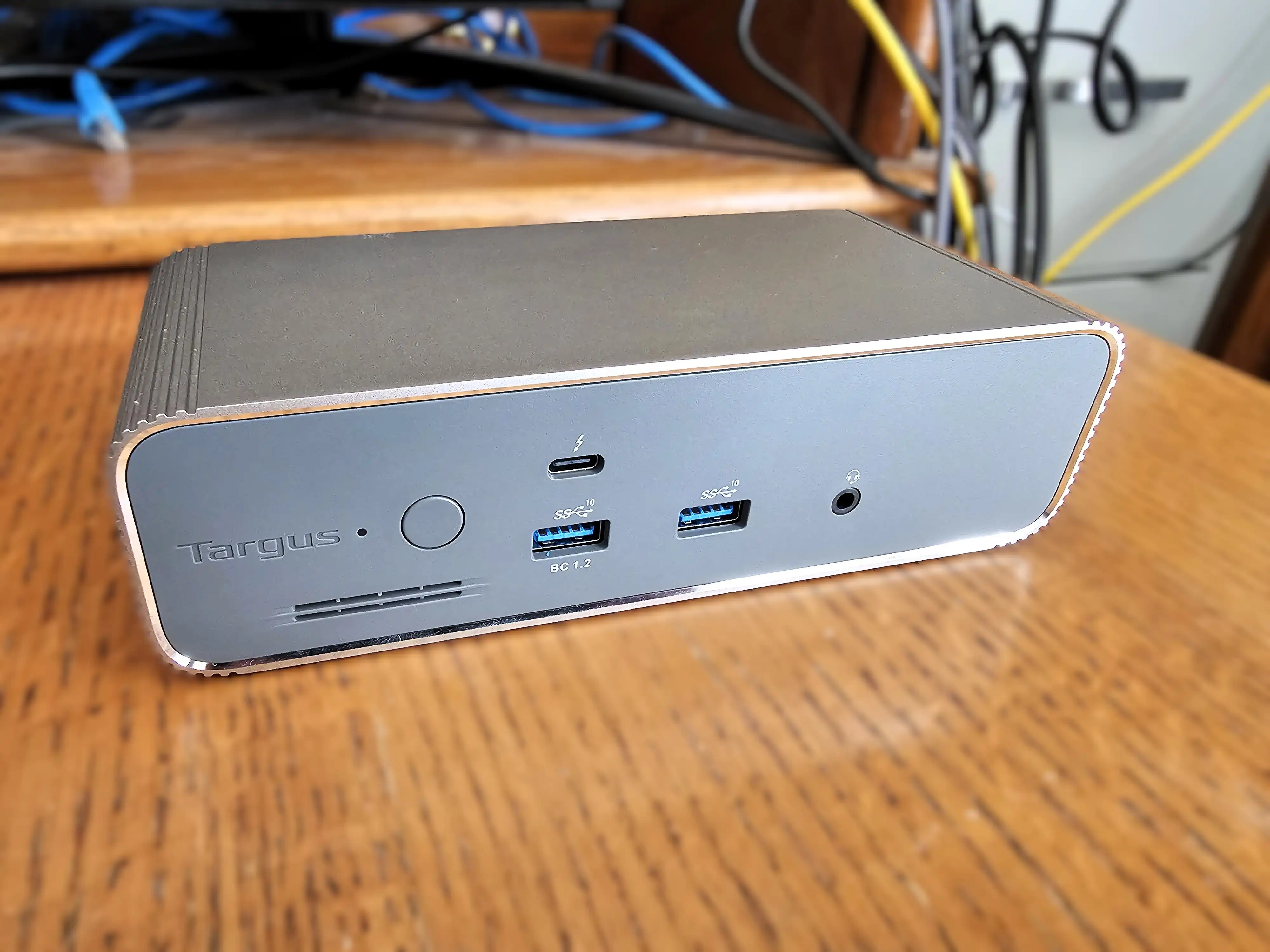
One of the most notable aspects of this dock is its versatility in connectivity. The inclusion of HDMI 2.1 and DisplayPort 1.4a ports ensures compatibility with a wide range of displays, while the USB-C port with Power Delivery 3.1 adds flexibility for charging connected devices. However, the lack of a Thunderbolt 5 expansion slot means that users looking to add more Thunderbolt 5 devices may need to seek alternative solutions.
Where It Fits
The Targus Thunderbolt 5 Triple Video Dock is designed for professionals who require high-performance multi-display setups, such as video editors, graphic designers, or data analysts. Its ability to drive three 4K@120Hz displays makes it a strong contender in the enterprise market, where visual fidelity and performance are paramount. However, buyers should be aware of the tradeoffs involved, particularly when it comes to sustained Thunderbolt 5 bandwidth and the lack of expansion slots.
For those who prioritize raw performance and display capabilities, this dock is a compelling option. But for users with more demanding workloads or those who require additional Thunderbolt 5 connectivity, other solutions may be better suited. Ultimately, the Targus Thunderbolt 5 Triple Video Dock is a solid choice for enterprise buyers who need a high-performance, multi-display solution—but it’s not without its limitations.