A $20 mechanical keyboard may not sound like a serious contender in the world of premium peripherals, but it delivers where it counts. This isn’t about flashy RGB lighting or customizable macros—it’s about whether a no-frills mechanical keyboard can justify its place on a desk without breaking the bank.
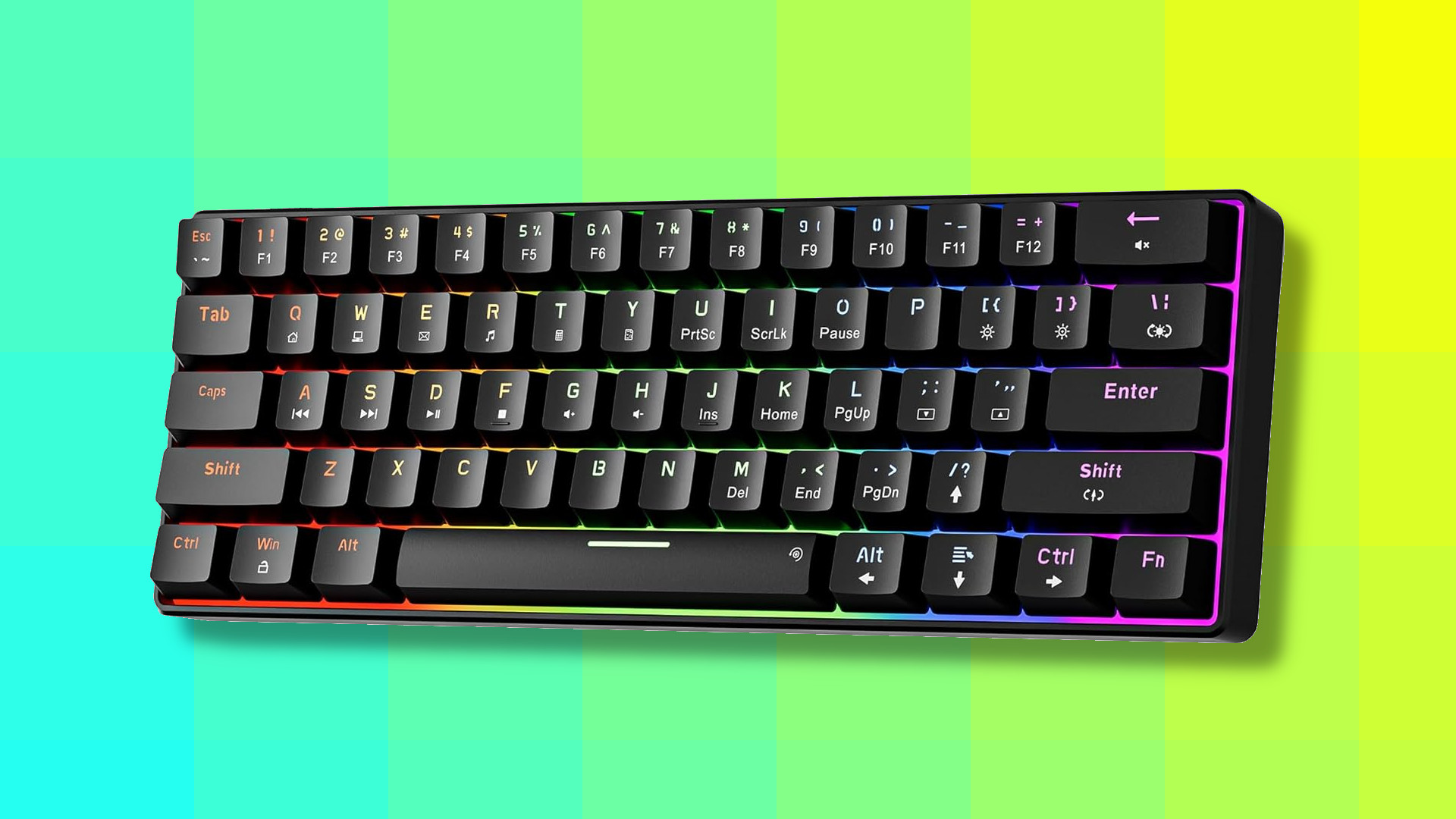
The Newmen GM611 arrives with a compact footprint and a set of 61 keys, omitting a numeric keypad but packing in features that defy its low price point. The build quality is sturdy for the category, and the typing experience, once muscle memory adjusts, is surprisingly satisfying. However, the clacking sound—loud enough to draw attention in quiet rooms—is a tradeoff that may not suit everyone.
For those who prioritize tactile feedback over silence, this keyboard checks most boxes without demanding a premium price. Whether it’s enough to abandon older membrane keyboards depends on how much noise you’re willing to tolerate.
The balance of cost and capability
Mechanical keyboards have long been associated with high-end gaming setups or enthusiast desks, where features like customizable switches, RGB lighting, and macro programming justify prices well above $100. But the landscape has shifted. Budget models, often manufactured in China, now flood the market with options that sit at the low end of the spectrum—sometimes below $20. These keyboards are rarely advertised as premium products, yet they promise the core appeal of mechanical typing: a distinct, tactile response that membrane keyboards simply can’t replicate.
Enter the Newmen GM611, a 61-key layout without a numeric keypad but with enough presence to stand out in a crowded segment. It’s not the first sub-$20 mechanical keyboard, nor will it be the last, but it represents a moment where affordability meets functionality in a way that challenges preconceptions about what a mechanical keyboard should cost and deliver.
What works—and what doesn’t
- Pros:
- Surprisingly solid build quality for the price—no wobbly stands or flimsy plastic.
- 19 LED backlight effects with 5 brightness levels, more than expected at this tier.
- Plug-and-play compatibility across Windows and ChromeOS devices.
- Tactile feedback improves typing rhythm once muscle memory adjusts.
The cons are fewer but notable. The most immediate is noise—each keypress produces a distinct clack that can be jarring in shared spaces or late-night work sessions. It’s the same sound that gamers and typists often love, but for those used to silent membrane keyboards, it’s an adjustment. Key travel feels longer than necessary, requiring more finger pressure than some may prefer, and the lack of a numeric keypad is a practical omission for data entry tasks.
Customization is minimal beyond lighting effects, which is par for the course at this price point. More expensive models offer macro programming, hot-swappable switches, or per-key RGB, but those are luxuries this keyboard doesn’t aim to provide. The question isn’t whether it delivers on its core promise—it does—but whether that promise is enough to justify switching from a familiar membrane setup.
For casual users or those dipping a toe into mechanical keyboards for the first time, the GM611 offers a risk-free way to experience the tactile difference without committing to a high-end purchase. It won’t replace premium models in performance or features, but it proves that affordability and functionality aren’t mutually exclusive.
The final decision comes down to noise tolerance. If the clacking sound doesn’t phase you, this keyboard is a steal. If silence is non-negotiable, the savings might be better spent on a quieter alternative—or sticking with what you know.