The USB-C dock market is crowded with options, but few stand out as boldly as Mokin’s new 160W GaN All-in-One Station. This isn’t just another hub; it’s a powerhouse with a built-in display that tracks wattage, port usage, and even display output—all while delivering serious charging capacity. But there’s a catch: not all ports behave the same way.
At first glance, the dock resembles a sleek, overgrown power strip, measuring 7.2 inches wide, 7.8 inches deep, and just 3 inches tall. It won’t fit in a backpack, but it carves out less desk space than a full Thunderbolt dock. The front is split into two sections: three ports on the right (two USB-C, one USB-A) that deliver power but no data, and three on the left (two USB-C, one USB-A) that handle data but little to no charging. This division might confuse users who expect all ports to do double duty, but it’s intentional—Mokin prioritized raw power output over versatility.
A Dock That Talks Back
Where this dock shines is its 2.26-inch LCD screen, tucked above the ports. Unlike most hubs that silently deliver power, Mokin’s displays real-time stats: which devices are connected, how much wattage each is drawing, and even HDMI display resolutions. It’s a feature that appeals to tech enthusiasts who love visibility into their setup. For example, plugging in a Ryzen 4000 laptop via USB-C shows it pulling 96W (close to the dock’s claimed 100W max), while an iPhone 17 Pro Max would max out at 40W—far beyond what most docks offer.
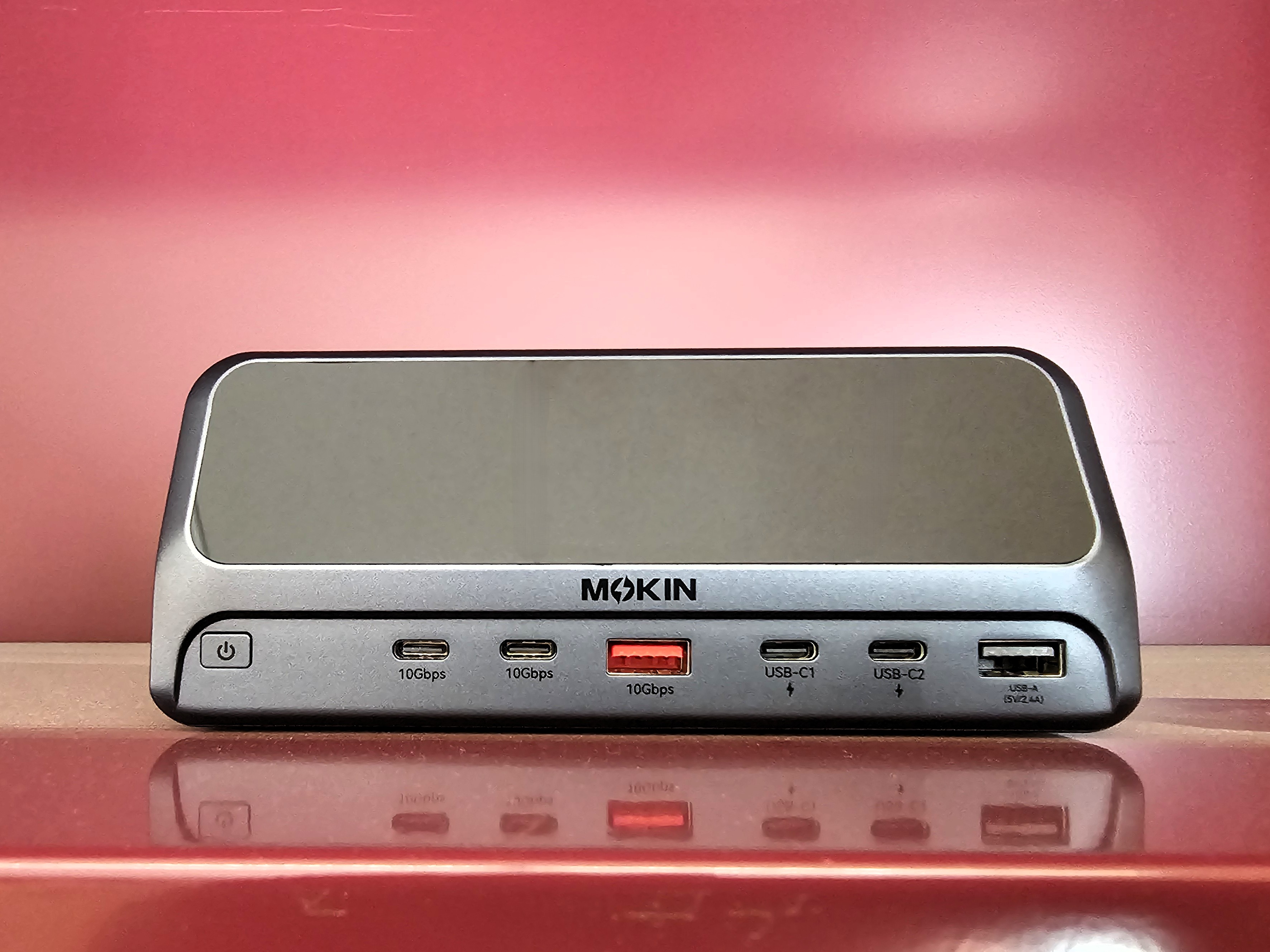
The power distribution isn’t one-size-fits-all. The USB-C laptop port consistently delivers 100W, but the secondary USB-C ports fluctuate: one can output between 30W–100W, while the other drops to 15W–60W depending on load. The single USB-A port is fixed at 12W, a nod to older devices but hardly a powerhouse. Meanwhile, the two HDMI 2.0 ports handle dual 4K displays at 60Hz, making it viable for productivity setups (though not gaming with high refresh rates).
Who Needs This?
This dock isn’t for everyone. Power users with high-wattage laptops (like those with Ryzen 4000 or 11th-gen Intel CPUs) will appreciate the stable charging, while smartphone owners benefit from fast top-ups. The LCD screen is a novelty—useful for troubleshooting but not essential. That said, the $79.99–$139.99 price (depending on retailer) is steep for a non-Thunderbolt hub, especially when simpler alternatives exist. The DockCase 10-in-1, for instance, offers similar visibility at a lower cost, though without the same charging muscle.
The dock stays cool under load, with no throttling during data transfers (hitting 113MB/s on USB-C SSDs). Ethernet performance was near flawless, with only two dropped frames in 10,000 during 4K streaming. But the real test is real-world use: if you’ve ever wondered how much power your laptop sips or why your phone charges slower than expected, this dock answers those questions—while keeping your devices juiced.
Final verdict: Mokin’s dock excels at power delivery and transparency, but its port split requires patience. For those who want a no-frills USB-C hub, cheaper options exist. For nerds who crave control, it’s a standout.