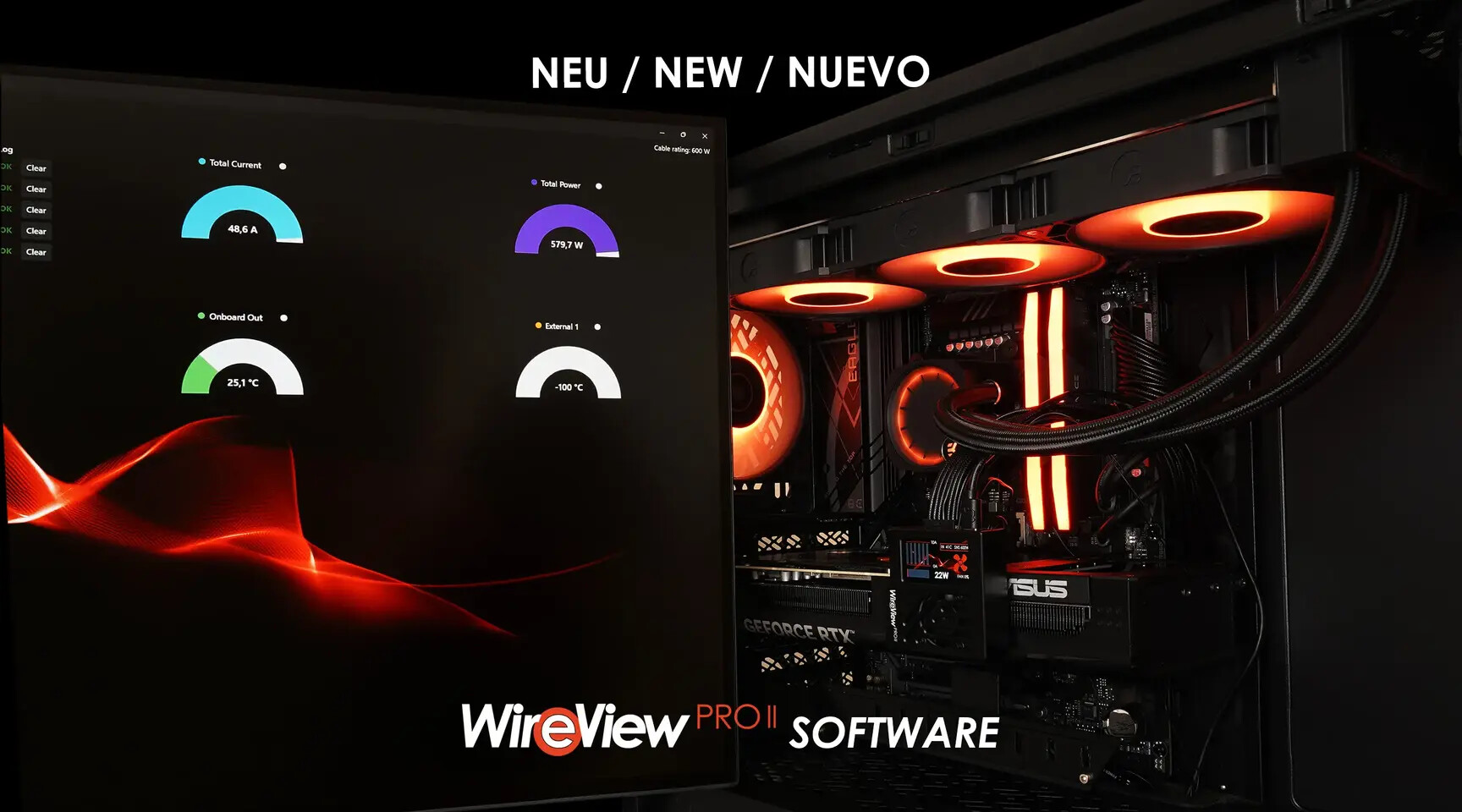
Thermal Grizzly has taken a significant step forward in GPU power monitoring with the release of its first public software suite and firmware update for the WireView Pro II. While the device already stood out for its precision in tracking 12V-2x6 connector currents, the new tools unlock deeper functionality—including real-time PC integration, long-term data logging, and finer-tuned adjustments.
The centerpiece of this update is the ability to connect the WireView Pro II directly to a PC via USB, transforming it from a standalone diagnostic tool into a fully interactive system. This isn’t just about displaying numbers on a screen anymore; it’s about turning raw measurements into actionable insights.
Why 4000 Hz Matters in GPU Power Monitoring
Before diving into the software’s features, it’s worth noting the underlying precision that makes this update valuable. The WireView Pro II already monitors currents with high accuracy, but the new software extends this capability by enabling real-time data transmission to a PC at rates that rival high-end gaming monitors. While the exact sampling rate isn’t specified, the system’s design suggests it aligns with the kind of granularity needed for overclocking and stability testing—similar to the 4000 Hz polling rates seen in premium gaming peripherals.
This level of detail is critical for enthusiasts and professionals tuning GPUs for maximum efficiency. Fluctuations in pin currents, even as small as a few amperes, can lead to instability or throttling. The new software doesn’t just log these values—it visualizes them in charts, exports them for analysis, and even allows users to set custom thresholds for alerts.
What’s New in the Software Suite
The software suite introduces five distinct views, each serving a specific purpose
- Overview: Displays real-time voltage, current, and power readings per pin, along with error alerts if thresholds are exceeded.
- Monitoring: Graphical representation of measured values over time, with options to export data for further analysis.
- Logging: Records historical data for long-term tracking, ideal for benchmarking or diagnosing intermittent issues.
- Device: Configures error displays, threshold settings, and firmware flashing directly from the software interface.
- Settings: Customizes startup behavior, display preferences, and fan control—features previously limited to the device’s built-in screen.
One of the most notable improvements is the ability to fine-tune per-pin current limits. This level of granularity is essential for users pushing GPUs to their limits, as it allows for precise adjustments to prevent overloads on individual pins. The software also simplifies the process of resetting the device’s display startup page—a task that was previously cumbersome when done manually.
Firmware Update: Stability and Smarter Alerts
Complementing the software, the first firmware update (version 03) introduces critical refinements
- Full software control: The original firmware lacked certain software-driven features; this update bridges that gap.
- Optimized averaging: Reduces fluctuations in measurements, making data more stable and reliable.
- Adjusted imbalance triggers: The current imbalance alarm now activates only when a pin exceeds 6A and the relative difference between pin currents surpasses 40%. This change minimizes false alarms caused by minor load variations.
Users should note that flashing the firmware will reset all device settings. While this is a one-time inconvenience, it ensures compatibility with the new software features. The update is optional but strongly recommended for those looking to leverage the full capabilities of the WireView Pro II.
How to Get Started
The software is currently available exclusively for Windows, with Linux support planned for a future update. Installation is straightforward: download the compressed folder, extract it, and launch the WireView2 application. No full installation is required—the software runs directly from the extracted files.
- Download and extract the latest software package from Thermal Grizzly’s official channels.
- Connect the WireView Pro II to your PC via the included USB cable.
- Launch the software and flash the firmware (if updating from an earlier version).
- Configure settings, monitor data in real time, or export logs for analysis.
- Disconnect the device when not in use; the WireView Pro II continues to function independently with all core features intact.
Thermal Grizzly emphasizes that the software is entirely optional. The WireView Pro II remains fully operational without it, displaying all essential measurements on its built-in screen. However, the new tools open doors for advanced users who demand precision and flexibility in their GPU diagnostics.
For those who encounter issues, support is available through Thermal Grizzly’s Discord server, subreddit, or the official support form. The company also encourages users to to their newsletter for updates on future software releases, including the anticipated Linux integration.
This update arrives at a time when GPU power monitoring is becoming increasingly sophisticated. Tools like the WireView Pro II, paired with high-precision software, are bridging the gap between raw hardware diagnostics and actionable insights—making it easier than ever to optimize performance while avoiding instability.