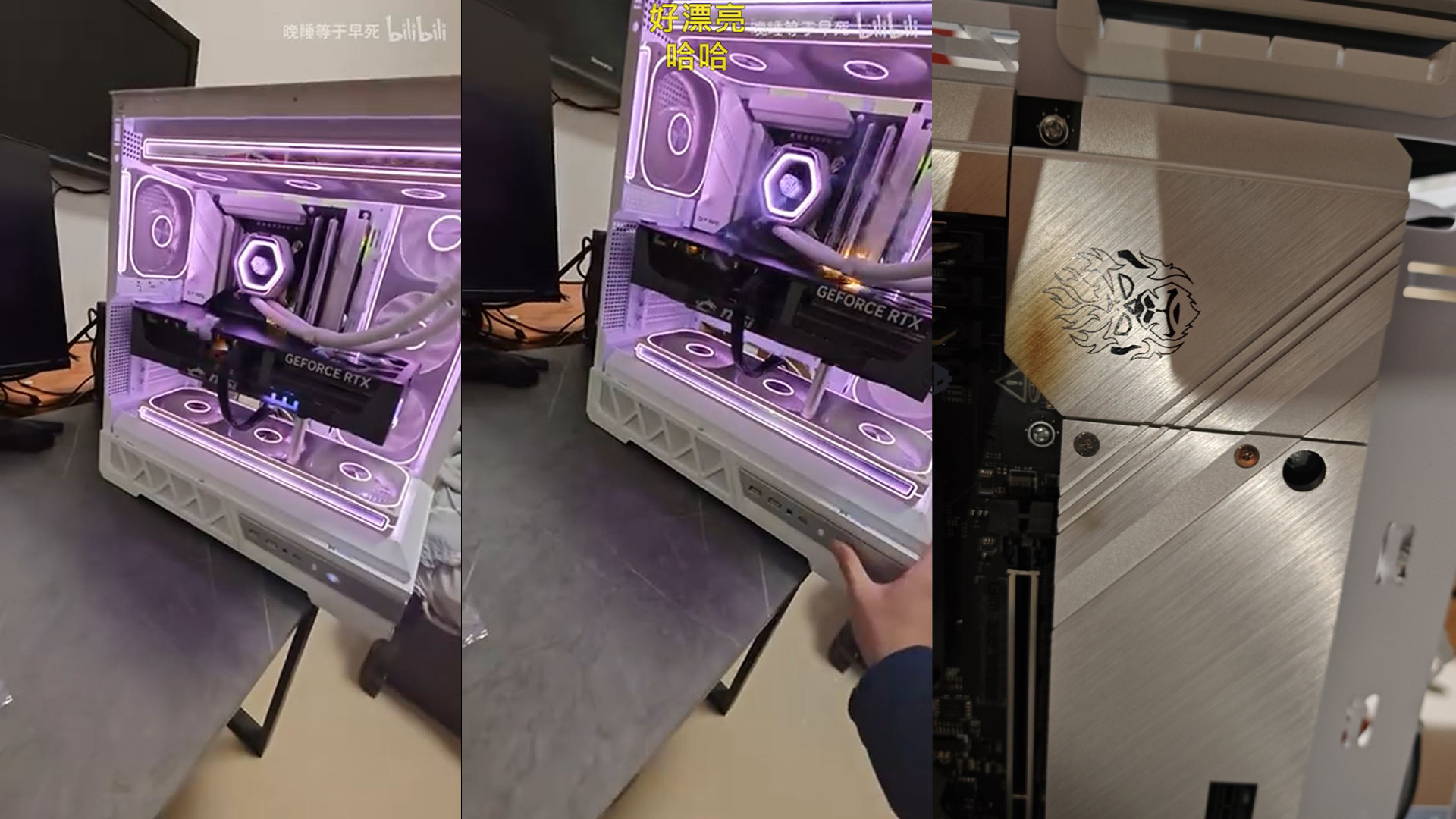
A high-end gaming GPU turned into a pyrotechnic display the moment a user flipped the switch, with an MSI GeForce RTX 5090 Trio bursting into flames within seconds of powering on. The incident, documented in a now-viral video, underscores the severe risks of VRM and connector failures in NVIDIA’s flagship GPUs—particularly when paired with inadequate power delivery systems.
The user, who had recently installed a 1,300W power supply alongside the GPU, recorded the moment of ignition as a precaution. Within moments of turning on the system, visible flames erupted from multiple points on the card, including the VRAM circuit area. Despite the dramatic failure, the rest of the system remained operational, though the GPU was destroyed and left with extensive burn marks.
The cause appears linked to a catastrophic short circuit in the VRM or VRAM circuitry, a flaw that has plagued some RTX 50-series GPUs. Unlike typical connector meltdowns—where users can often secure replacements—the affected model is not eligible for warranty claims in China, where the RTX 5090 is officially banned. Only the RTX 5090 D and RTX 5090 D V2 variants qualify for manufacturer support, leaving owners of the standard model with no recourse.
The RTX 5090’s price—now exceeding $4,000 in many regions—makes such failures financially devastating. The user in question has since downgraded to an RTX 5060, but the incident serves as a stark warning about the potential consequences of pushing high-wattage GPUs beyond their design limits.
Key specs of the affected GPU
- Model: MSI GeForce RTX 5090 Trio
- Power draw: 450W (under load)
- VRAM: 24GB GDDR6X
- Memory bus: 384-bit
- Recommended PSU: 800W–1,300W
While NVIDIA has not commented on the specific failure, the RTX 50-series has faced repeated reports of VRM overheating and connector damage, particularly on non-reference designs. Users are advised to verify power supply compatibility, ensure proper cable management, and monitor thermal performance—especially when running GPUs at or near their maximum power limits.